There was a problem loading the comments.

Download a Database dump in Plesk

Support Portal  »  Knowledgebase  »  Viewing Article

  Print
To download a database dump within your Plesk control panel, please follow these steps:

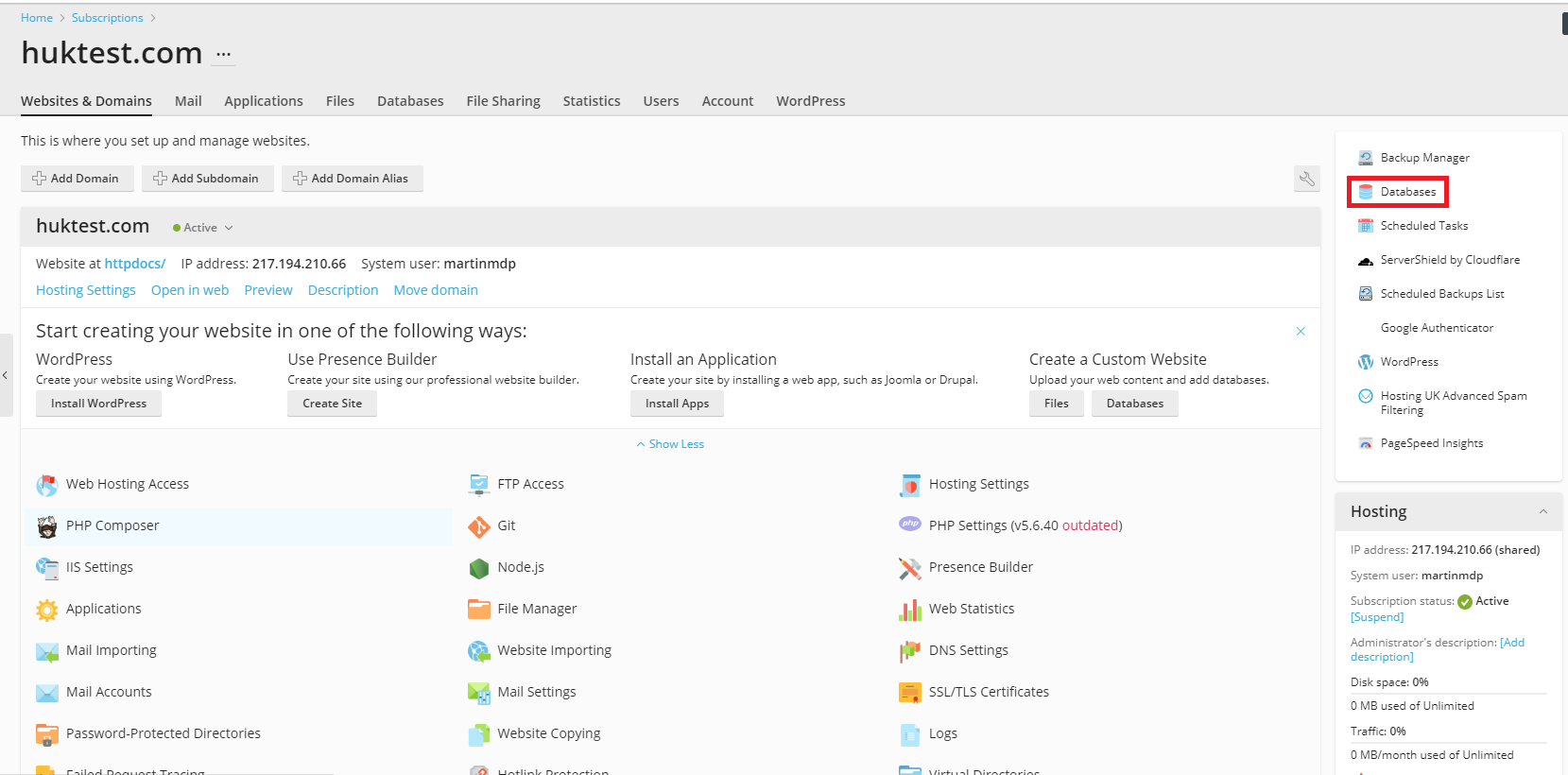
1. Once logged into Plesk, go to Websites and Domains and click on the Databases option on the right hand side of the page.
d33d54d45ab58f39e30669997ce403680f8c9afc?t=617c2da09c065f8a79fb264cbd47c927

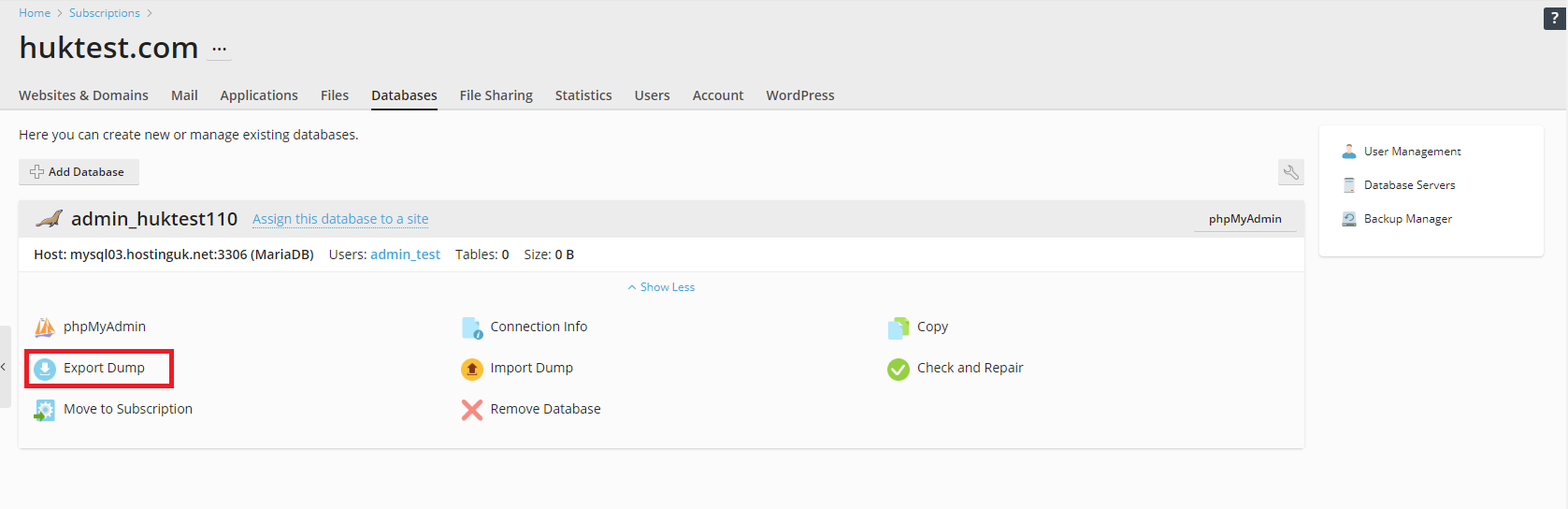
2. Click on the Export Dump option as seen below.
20376e9c188f09b426323e34a9487fbdbeeb4820?t=cfe519aae83752a6b9d4cc2b5f266871

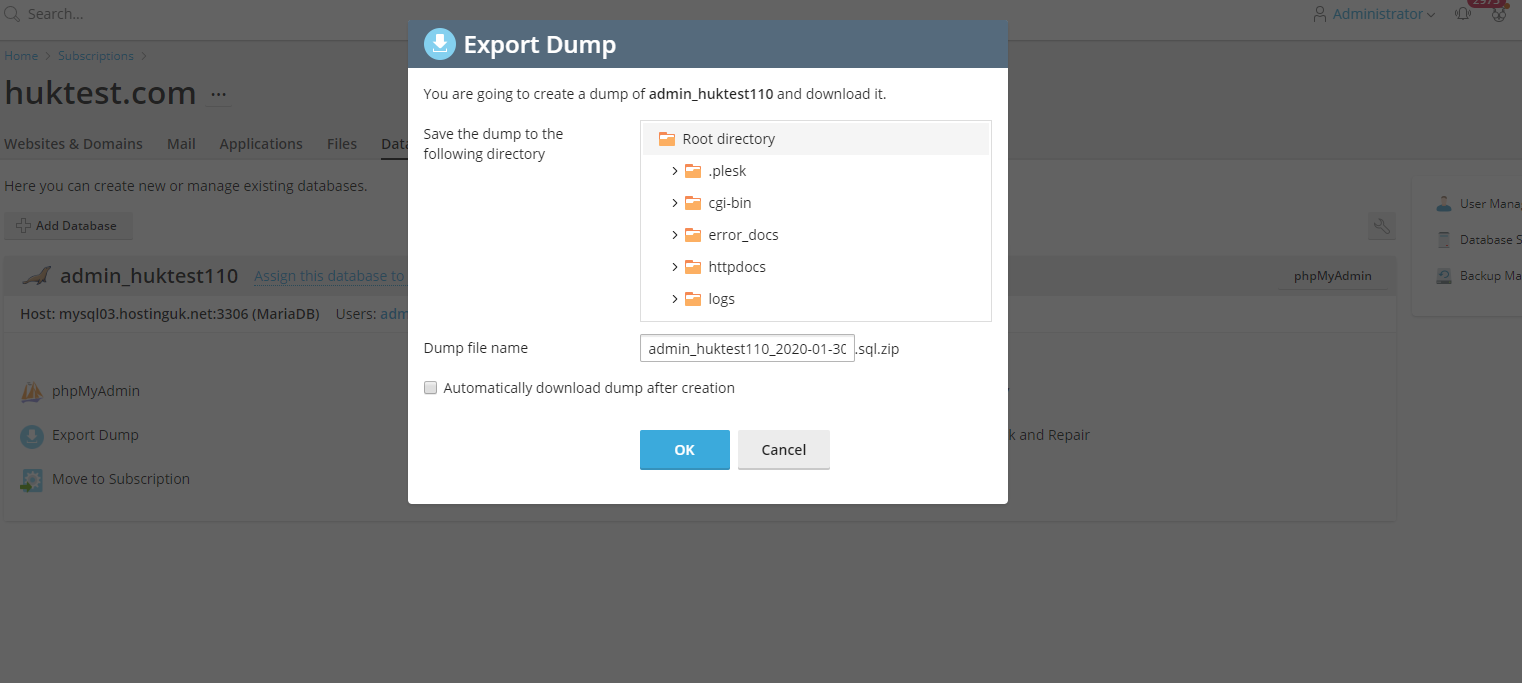
3. You should then be presented with a window allowing you to choose the file path to export the database dump to. Please note that you can tick the Automatically download dump after creation, this will then download to your local machine. Once you are happy, hit OK.
47208ab840b92bcec7619c494a56498bf83f5fed?t=0a7579ac3613c8043db0abbed8f4adcd


Share via

Related Articles


Self-Hosted Help Desk Software by SupportPal
Development License - This installation is using a license which is not valid for production use.
© Hosting UK